

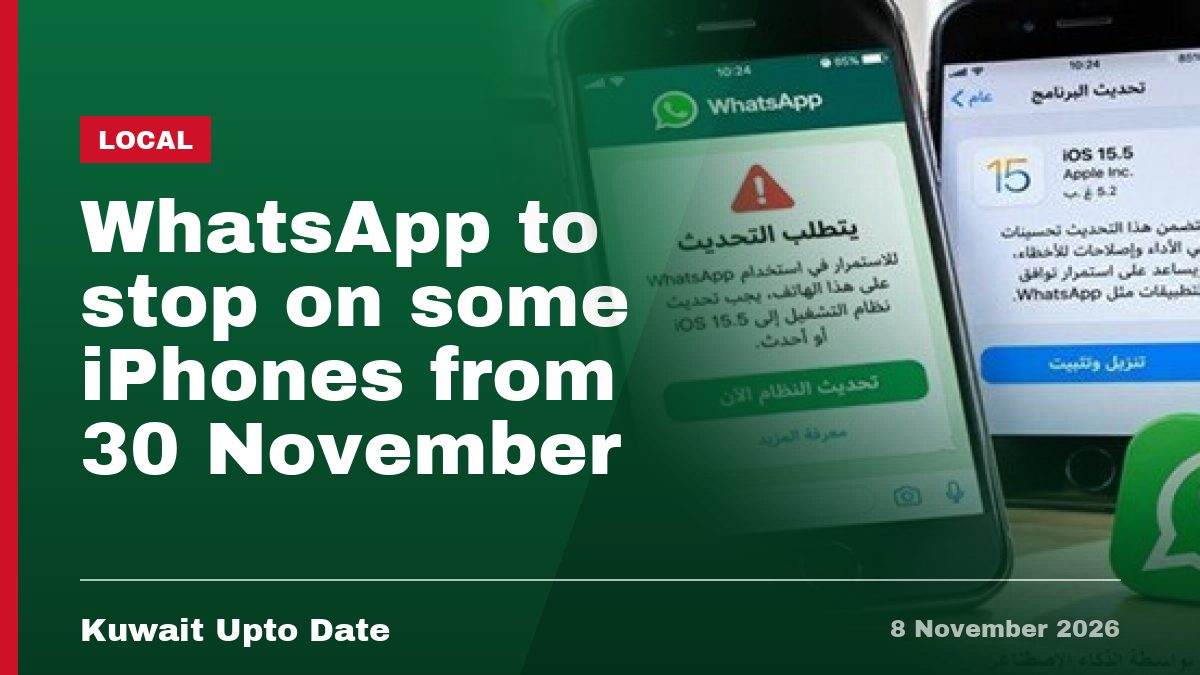
If you use WhatsApp every day to talk to family, chase work messages, or join the group chat for your building’s maintenance, this one’s worth a minute of your time. Some older iPhones are about to lose the app completely.
WhatsApp has confirmed it will stop supporting older versions of Apple’s iPhone software from 30 November 2026. If your phone can’t update past a certain point, the app will simply stop running on it. For many people in Kuwait, this means checking a setting now rather than discovering the problem the day it happens. If you’ve already updated your phone recently for the new WhatsApp contacts tab, you’re likely in the clear.
- WhatsApp will raise its minimum required iOS version from 15.1 to 15.5 starting 30 November 2026.
- iPhones that can’t update to iOS 15.5 or higher will lose WhatsApp support after that date.
- Models to check include the iPhone 6s, iPhone 6s Plus, iPhone 7, iPhone 7 Plus, and the first-generation iPhone SE.
- You don’t need a new phone – if your device can install the update, WhatsApp keeps working normally.
Why is WhatsApp doing this?
WhatsApp says it reviews older operating systems every year, especially ones that few people still use. Older software often misses security updates and the technical bits needed to run newer features in the app. Dropping support for very old systems lets WhatsApp build new features without worrying about phones that can’t handle them.
This isn’t really about the age of your phone in years. It’s about which version of iOS it’s running. A phone from a few years back can be perfectly fine if Apple still lets it update to iOS 15.5 or later.
Which iPhones are affected?
The phones flagged for checking are the iPhone 6s, iPhone 6s Plus, iPhone 7, iPhone 7 Plus, and the first-generation iPhone SE. These models can still run WhatsApp fine if they’re updated to a compatible iOS version. The issue only hits devices stuck on an operating system older than 15.5 that can’t be pushed any further.
If you’re using a newer iPhone – anything from the iPhone 8 onward, roughly – you’re very unlikely to run into this at all, since those models support far newer versions of iOS without trouble.
How to check your phone before 30 November
It takes less than a minute to check if your phone is ready. Here’s what to do:
- Open Settings on your iPhone.
- Tap General.
- Tap Software Update.
- If an update is available, install it. Make sure you’re connected to Wi-Fi and have enough battery first.
- If your phone shows it’s already on the latest version it can support, check whether that version is 15.5 or higher.
WhatsApp says it will also send in-app notifications to affected users, including repeated reminders before support actually ends. So if your phone is on the list, don’t be surprised to see a message pop up inside the app over the coming weeks.
What this means for people in Kuwait
A lot of households and workplaces here run on WhatsApp for everything – school groups, building announcements, work shifts, even deliveries. Losing the app on an older phone, even briefly, is more than an inconvenience for many people.
If you’re still using one of the older models listed above, or you’ve handed down an old iPhone to a parent, a domestic worker, or a younger family member, it’s worth checking their settings too. Many people don’t update their phones often and might not notice the change until messages stop coming through.
The good news is that this change doesn’t force anyone to buy a new device. As long as your iPhone can install iOS 15.5 or a later version, WhatsApp will keep working exactly as it does now, with no loss of chats, contacts, or media. For more on how small tech changes affect daily routines here, see our latest local news in Kuwait.
Quick answers
Do I need a new phone because of this?
No. WhatsApp says the change is tied to the iOS version your phone runs, not how old the phone itself is. If your iPhone can update to iOS 15.5 or higher, it will keep working fine.
What happens if I don’t update before 30 November?
If your phone can’t run iOS 15.5 or later, WhatsApp will stop working on it after that date. You’d need to move to a phone that supports a newer iOS version to keep using the app.
Will I get a warning before this happens?
Yes. WhatsApp says affected users will see in-app notifications and repeated reminders in the weeks before support ends, giving time to update.
Take two minutes today, open Settings, and see where your phone stands. It’s a small check that saves a headache later – and if you’ve already hit this issue on an older iPhone, let us know in the comments what happened.
📌 Related stories
Latest News
 International
Riyadh on alert by Saudi Civil Defence
2 Local Egyptian singer Ramy Sabry books Kuwait concert for 24 December Read more → 3 Local Video – Kuwait scam alert: fake police now add fake bank staff on video calls Read more → 4 International Hackers spread equivalent of 1.96 billion KWD theft across 10,000 wallets Read more → 5 Local Being an Expat: What Is My Future in Kuwait? Read more → 6 Local Kuwait’s police to get body cameras soon Read more → 7 Local Women no longer need husband’s OK for passports Read more → 8 International Earth has a new mini-moon, but it’s leaving by early 2027 Read more → 9 Local Hiring staff you don’t need is a crime Read more → 10 Local Italy honours Sheikha Intisar with top civil award Read more → 11 International Iraq admits its soil used to attack Gulf neighbours Read more → 12 Local Video – New Salmiya waterfront Barayeh Salem place Read more → 13 International Saudi Arabia Arrests 11,587 People in One Week for Visa Breaches Read more → 14 International Trump confirms new US strikes near Qeshm Island, Iran Read more → 15 Local US Embassy Kuwait issued a security alert. Read more →
Leave a Reply